I've just used my new zed60 10fx for the first time tonight , straight out of the box untested.
What a great sounding little mixer. That with a both an sm58, e845 and rcf speakers produced a fantastic vocal sound.
However I do wish I'd read the manual fully before buying as they have a rather annoying feature in that the mute button doesn't affect the aux send found out the hard way when somebody unplugged an acoustic after I "thought" it was muted.
It always pays to be familiar with your tools before you use them in earnest.
If you had read the manual first you'd have discovered that this is one of the configurable elements of the desk. The Aux pre send can be configured pre or post mute... But the factory default is pre mute. Having said that, the clues are slightly hidden: theres a veiled comment in the section discussing the mute button, and a pre/post mute link shown on the block diagram. The user manual doesn't appear to explain how to change the configuration... Which either means it is pretty obvious, or you'll need to call A&H for advice.
A pre-fade aux is normally also pre mute, specially on general purpose consoles where the mute switch is typically post-fader. But different applications often require slightly different functionality, which is why the manufacturers often provide configurable links, as in this case.
H
Technical Editor, Sound On Sound...
(But generally posting my own personal views and not necessarily those of SOS, the company or the magazine!)
In my world, things get less strange when I read the manual...
Thank you for the reply Hugh and the gentle reminder about the merits of reading first
I did wonder why the term "default" was used in the manual, with reference to the mute button function. A quick google wasn't enlightening but I will dig deeper and contact allen & heath for some advice.
The block diagram suggests it is configured with jumper links, so I imagine if you remove the base pate it will be fairly obvious what needs to be done on the circuit board(s).
But a call to A&H might be a wise first step if you're not confident.
Technical Editor, Sound On Sound...
(But generally posting my own personal views and not necessarily those of SOS, the company or the magazine!)
In my world, things get less strange when I read the manual...
As to why that is useful - it allows a musician to hear themselves in their monitor without the audience hearing them, or at least not very clearly. Which, for a woodwind player swapping instruments, can be really useful - allows you to check your tuning before coming in. Sound engineer needs to be awake, of course, but that's another reason why a good sound engineer should be considered a member of the band.
Well, I've opened it up but can't see any obvious jumper so have opened a support ticket with A&H. Im guessing if there is a jumper, there may be one on each individual channel strip. It's a bit cluttered but again i can't see anything obvious.
The Aux source can be changed to post-mute. This requires a solde link to be cleared and a new solder link made. This is done on an individual channel basis on each individual channel PCB.
If you contact our distributor for the UK, they will be able to advise you on how to get this done.
It genuinely never crossed my mind to consider such a feature, i do remember an old studio mixer having the same but it was marketed as a dedicated studio console.
Sadly i dont think its going to be cost effective so it'll have to go unless they're willing to send me a data sheet on what needs swapping where. Probably void the warranty if i did it myself.
Ah... the solder-link trick eh? Much cheaper than fitting jumpers. Not difficult to change though, given reasonable soldering skills. Should be within the capability of any decent technician. As to cost -- it depends if the mixer needs major deconstruction to get at the solder links or not...
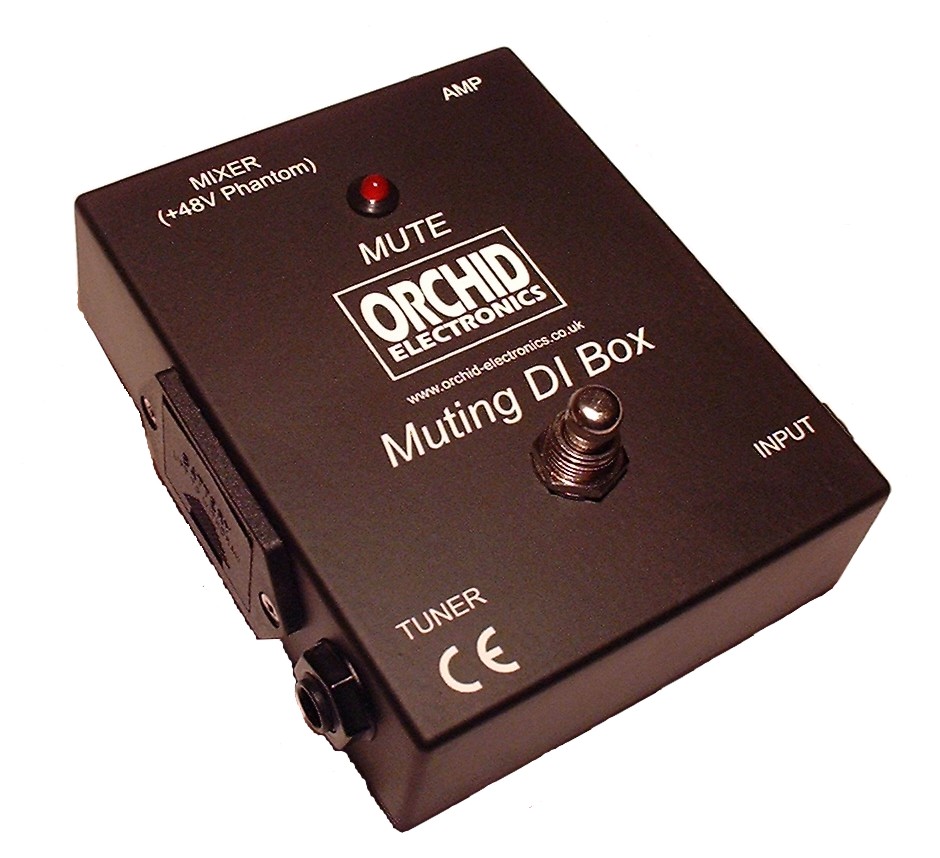
In the meantime, try persuading your band members to use one of these:
Technical Editor, Sound On Sound...
(But generally posting my own personal views and not necessarily those of SOS, the company or the magazine!)
In my world, things get less strange when I read the manual...
Did they say why they wired it that way round? It doesn't seem to me like a good choice of default. Plus if they advertise it as user configurable (did they), it ought to not void the warranty when the user configures it.
damoore wrote:Did they say why they wired it that way round? It doesn't seem to me like a good choice of default. Plus if they advertise it as user configurable (did they), it ought to not void the warranty when the user configures it.
No, i'm of the same opinion with it being marketed for sold artists/small bands etc. Its not advertised as configurable, Hugh pointed that out to me after reading the manual's "default" comment.
There are valid reasons, as pointed out above, for not muting the aux but that seems like a rare feature in live consoles, that I've encountered from the likes of Mackie, Yamaha, Soundcraft, Behringer etc etc.
I've taken a channel strip out and there's no obvious markings on the PCB to indicate what needs to be changed. Allen & Heath can't (won't?) supply any details so I've asked Audio Technica for the information.
Only other option is to manually trace round the PCB to try and find a signal path, or should i say, phone a friend to do so.
Technical Editor, Sound On Sound...
(But generally posting my own personal views and not necessarily those of SOS, the company or the magazine!)
In my world, things get less strange when I read the manual...
there's a total of 10 links on the pcb, 3 of which are in close proximity to the mute button and board output connector. Not the most hi-res images - waiting for my DSLR battery to charge up
Can't really see from that PCB pic, but if you find the top contact from the Aux pot (the terminal at the fully open end), and trace it back you will probably find it splits in two, one path going no where (but close to a contact that runs to the hot side of the mute switch), and the other linked (via a solder bridge) to a track that heads off to the output side of the mute switch or fader input.
Technical Editor, Sound On Sound...
(But generally posting my own personal views and not necessarily those of SOS, the company or the magazine!)
In my world, things get less strange when I read the manual...
 found out the hard way when somebody unplugged an acoustic after I "thought" it was muted.