I made a tool for generating list of all the presets on your MicroFreak in PDF and CSV form.
The way you use it is you pull the presets from your synth using MIDI Control Center and then upload the resulting file. In response you get a PDF file with all the presets sorted by their number, alphabetically and by type. You also get a type and characteristics ("tags"), if any, next to each preset. You can also get a CSV file if you'd rather process the data yourself or just open it in Excel.
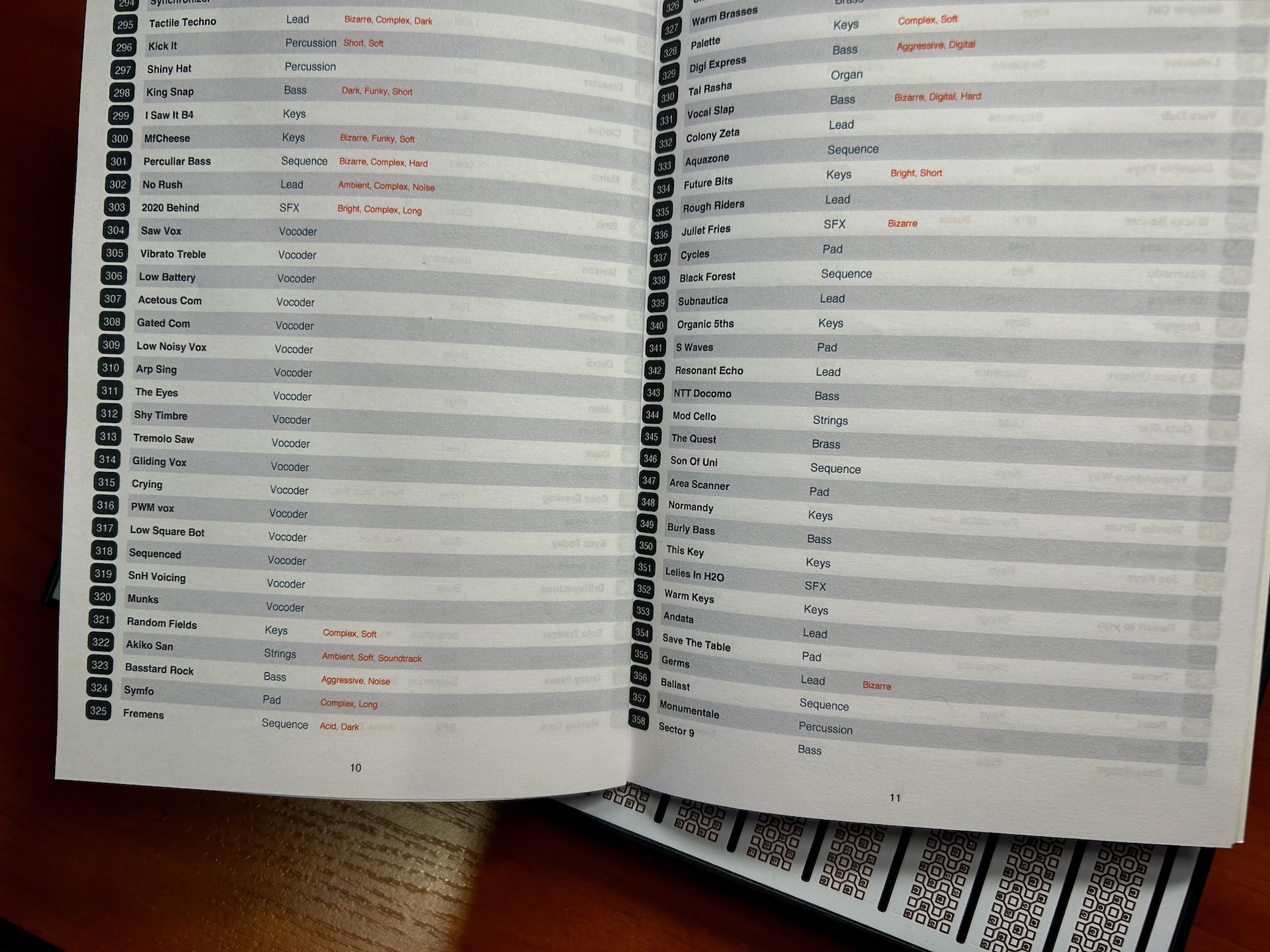
Here's how the document looks like once printed in "booklet" mode, with two pages (four when double-sided) printed on a single sheet:
I would use the CSV file to create an instrument definition file for my DAW.
{
rather than select presets based on number, I would be able to see the name of the patch, rather like a GM synth has defined names rather than numbers
}
N i g e l wrote: ↑Thu Sep 21, 2023 9:24 pm
Well done
I would use the CSV file to create an instrument definition file for my DAW.
{
rather than select presets based on number, I would be able to see the name of the patch, rather like a GM synth has defined names rather than numbers
}
Thanks That's a cool use case, I haven't really thought of that. Good thing I followed that Arturia forum user's advice and added CSV as well, then!
Darn, I wish I had discovered that before I manually indented all my MicroFreak presents by hand in a large file ! This looks great (alas, too late for me !).
Kyle Holman wrote: ↑Wed Nov 29, 2023 6:08 pm
It's so easy to accidentally delete presets on it.
Hi Kyle, I'm not really sure what you mean by that, could you please elaborate? The app doesn't interact with the synth directly in any way: it only reads the exported presets file and that's it.


 That's a cool use case, I haven't really thought of that. Good thing I followed that Arturia forum user's advice and added CSV as well, then!

